Build a Bridge Controls & HUD
Draw, brace, Done-test, and trace Builder blueprints without fighting the UI.
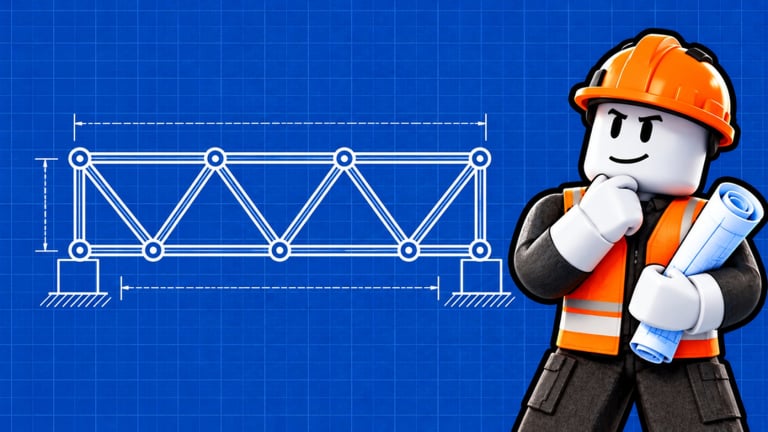
Build a Bridge controls are simple on paper and messy in the first ten minutes. This page maps the build flow, the Done test, Builder blueprints, and HUD habits that stop accidental deletes. Read it beside Getting Started if you are brand new.
Samzy’s Games can rearrange button art after patches — if a label moved, check the Updates Hub. The verbs below stay the same: draw road, add supports, test, earn, upgrade, rebirth.
Primary build flow
1. Draw the road
Select the road / deck tool and stretch a path from your starting ledge to the far side. Early advice from every solid guide agrees: keep it mostly straight. Curves look cool and create weird lever arms that Wood cannot forgive.
Tips:
- Anchor firmly on both banks before decorating
- Avoid floating segments that do not connect
- Zoom out once to confirm the deck actually reaches
2. Add supports (Wood / Steel / Titanium)
Switch to support placement and brace underneath. Official loop order lists Wood, Steel, and Titanium as the material ladder. Start Wood; promote segments using the materials tier list.
Placement habits:
- Diagonals under the deck beat lonely vertical forests
- Connect members so force can travel
- Spend extra care on the mid-span
- Change material on the bay that failed — not everywhere blindly
Deep patterns live in Bridge Designs.
3. Press Done to test
Done starts the physics check: your current vehicle attempts the crossing. Watch:
- Soft bend that recovers → maybe acceptable; mark the bay
- Increasing sag → reinforce before the next unlock
- Snap into water → rebuild the failure region with better angles or materials
Never spam Done without watching. The animation is the tutorial.
4. Earn, unlock, upgrade
Successful crossings pay cash. Open vehicle and upgrade panels to unlock the next unit or buy vehicle speed / spawn rate. Priority details: Earn Money.
5. Rebirth when ready
The rebirth control resets for a wider gap and more income potential. Do not mash it from the controls screen out of curiosity — read Rebirth first.
Builder blueprints
Stuck? Visit the Builder and purchase or claim a blueprint, then trace it. Blueprints are official training wheels for players who freeze on empty air. They are especially useful:
- After a frustrating snap streak
- Right after rebirth when the gap feels alien
- When learning lattice spacing for mid vehicles
Tracing is not a substitute for understanding. After a successful trace clear, delete one bay and rebuild it yourself so the knowledge sticks. The Tools Hub turns this into a practice checklist.
HUD and camera tips
- Finish tutorial locks before assuming a button is missing
- Rejoin if the client loaded without shop or build tools after a patch
- Use a slight elevated camera while placing diagonals so you see intersections
- On mobile, place deliberately — fat-finger deletes happen; confirm destructive actions
- Keep an eye on cash while testing so you notice offline or crossing income changes
Multiplayer control etiquette
Servers hold six players. Your build tools should not become grief tools. Avoid blocking others’ abutments, and do not run movement scripts that fling avatars across active tests (Scripts, Players).
Troubleshooting controls
| Problem | Try this |
|---|---|
| Cannot find Done | Complete tutorial prompts; rejoin; look near build confirmation UI |
| Road will not connect | Zoom out; rebuild the last segment; avoid overlapping ghosts |
| Supports ignore clicks | Reselect material; make sure you are aiming under the deck |
| Blueprint will not trace | Reopen Builder; confirm purchase/unlock; restart session |
| Everything gray after update | Wait for servers; see Updates Hub; clear client cache if needed |
Practice drill (10 minutes)
- Build a straight Wood deck with four diagonals.
- Done-test with the lightest vehicle.
- Add two cross braces where bend appeared.
- Retest.
- Trace a blueprint once and compare bay spacing to your freehand try.
Complete that drill and the rest of the wiki’s design talk will suddenly sound concrete.
Related pages
- Guides Hub
- Getting Started
- Bridge Designs
- Tier List Hub
- Codes / How to Redeem — for when a Codes button appears later
Master Done-testing and blueprints early. Fancy Titanium arches are useless if you still fight the HUD.
Frequently Asked Questions
Quick answers to the most common questions.
What does the Done button do in Build a Bridge?
Done starts a physics test: your current vehicle drives the span so you can see bending or snaps before you unlock heavier traffic.
How do Builder blueprints work?
Buy or unlock a blueprint from the Builder, then trace the suggested road and supports. Use them to learn spacing, then practice rebuilding bays freehand.
Why are some HUD buttons missing?
Tutorial gates, client load glitches, or post-update UI moves. Finish prompts, rejoin, and check the Updates Hub if a patch just shipped.
Can I play Build a Bridge on mobile?
Yes, with careful tapping. Take extra time placing diagonals and confirm deletes so you do not wipe a good span by accident.